
Table of Contents
- What You'll Need Before You Order Custom Engraving
- Best File Formats for Laser Engraving
- How to Choose an Engraving Company You Can Trust
- Material Selection and Preparation for Custom Engraving
- Alignment, Focus, and Positioning: Getting It Right
- Common Engraving Mistakes to Avoid
- Post-Processing and Finishing for Lasting Quality
- Frequently Asked Questions
Last Updated: September 14, 2026
What You'll Need Before You Order Custom Engraving
Quality custom engraving starts long before a laser touches the material. It starts with the files, details, and decisions you finalize before placing an order. According to the U.S. Occupational Safety and Health Administration's laser safety guidance, the engraving process itself involves real safety and precision considerations, which is exactly why the preparation stage matters so much.
Getting these details right separates a lasting keepsake from a disappointing one.
Here's what to have ready:
-
- Exact spelling of names, dates, and initials, double-checked
Custom engraving is the process of permanently marking a material, such as wood, leather, or metal, using a focused laser or mechanical tool to cut or burn a design into the surface. The permanence is the appeal, and it's also why mistakes are costly.
Best File Formats for Laser Engraving
Vector files produce the cleanest engraved edges; raster files work for photographs but need high resolution to avoid blur.
Vector vs. Raster: Which One to Send
| File Type | Best For | Watch Out For |
|---|---|---|
| Vector (SVG, AI, EPS) | Logos, text, line art | Converted fonts that shift; open paths that engrave as gaps |
| Raster (PNG, JPG) | Photos, shading, gradients | Pixelation when scaled up; JPEG compression artifacts |
| Mixed designs | Flattened layers losing detail; embedded fonts that substitute |
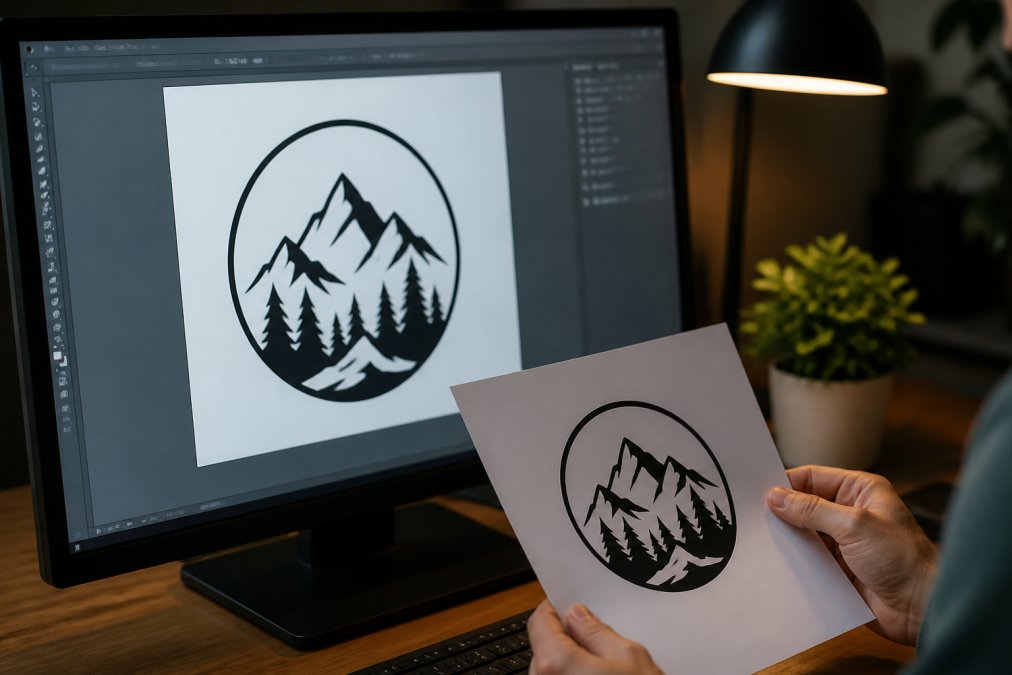
Converting a Raster Logo Into a Clean Vector
Resolution and DPI Settings That Matter
Material-Specific Resolution Benchmarks
Resolution that works on one material can fail on another because grain, coating, or reflectivity changes how the dot reads. Use these as starting points, then test on scrap:
| Material | Suggested DPI | Notes |
|---|---|---|
| Hardwood (maple, walnut) | 300-400 | Grain can swallow fine dots; keep line art bold |
| Leather | 300 | Oils and finishes soften edges; avoid ultra-fine detail |
| Cast acrylic | 400-600 | Holds crisp dots; higher DPI pays off |
| Coated metal | 400-600 | Coating removal is binary; dots stay sharp |
| Anodized aluminum | 600 | Fine detail survives; test power to avoid bleaching |
How to Choose an Engraving Company You Can Trust
The best way to judge an engraving company is to ask for recent samples before you pay. Anyone can show a polished website; fewer can show consistent finished work.
Questions to Ask Before You Commit
A short conversation separates a careful shop from a rushed one. Ask:
-
- What's your policy if the engraving arrives damaged or misspelled?
- Can you show finished samples of similar work?
The Federal Trade Commission's guidance on advertising claims is clear that quality and material claims must be truthful, so a company that dodges specifics about materials or turnaround is a warning sign.
Material Selection and Preparation for Custom Engraving
Material choice determines how a design reads once engraved, and preparation determines whether it reads cleanly at all.
Wood engraves with natural contrast, but grain direction affects consistency. Leather takes a rich, dark burn, though oils and finishes can interfere.

Alignment, Focus, and Positioning: Getting It Right
Common Engraving Mistakes to Avoid
Most engraving failures trace back to a handful of avoidable errors. Spotting them early saves material, money, and time.
Design and Proofing Errors
Misspelled names and wrong dates top the list. A design that looks right on screen can hide a flipped letter or wrong initial. Read every character out loud, then have a second person check it.
Thin lines and tiny fonts are the second trap. Below a certain size, strokes blur together. Keep text bold enough to survive the burn.
Material and Machine Mistakes
Post-Processing and Finishing for Lasting Quality
Clean the Residue First, Before Anything Else
Material-Specific Finishing Steps
How Depth Changes the Finishing Plan
Ventilation and Air Quality During Finishing
Ventilation is non-negotiable during and after engraving. Laser engraving on certain materials releases carcinogenic fumes, and proper ventilation protects both the operator and the finish. According to the U.S. Environmental Protection Agency's indoor air quality resources, capturing fumes at the source is the most effective control. The same applies during finishing: solvents, lacquers, and leather conditioners off-gas, so work in a ventilated area and let pieces cure fully before packaging.
Storage and Long-Term Care
For a keepsake meant to last, store it away from direct sunlight and moisture. UV light fades contrast on wood and leather over years, and humidity swings cause wood to move, opening hairline cracks along engraved lines. A felt bag or a box in a climate-controlled room is enough for most pieces.
Frequently Asked Questions
What are the most important factors for high-quality custom engraving?
The biggest factors are material choice and careful attention to detail. The material must be suited for engraving, like wood or leather. Focus and alignment need checking before every job.
Is SVG or PNG better for laser engraving?
SVG is generally better because it is a vector format, meaning it scales without losing quality. PNG is a raster format and can become pixelated when enlarged. For detailed logos or text, SVG or PDF are often preferred. If you only have a PNG, make sure it is at least 300 DPI at the final engraving size.
How can I tell if a custom engraving service is reputable?
Look for clear communication and real customer photos. A reputable service will ask about your design intent, not just take your order. Check for reviews that mention longevity and detail. If a company does not answer questions about their process, consider that a warning sign.
What should I look for in a proof before approving an engraving?
Check spelling, spacing, and alignment first. Look at how the design sits on the product, especially if it is a curved or textured surface. Make sure the font size is readable and the contrast will work on the chosen material. Once your order is placed, the engraving is usually final, so take your time reviewing every detail during customization.